|
Operate from Windows
|
| It's possible to operate Bacula server from Windows with installing Bacula client.
This example shows to run restore from Windows XP.
|
|
| [1] | Download Bacula installer for Windows from the link below. |
| [2] | Execute installer and install bacula client. |
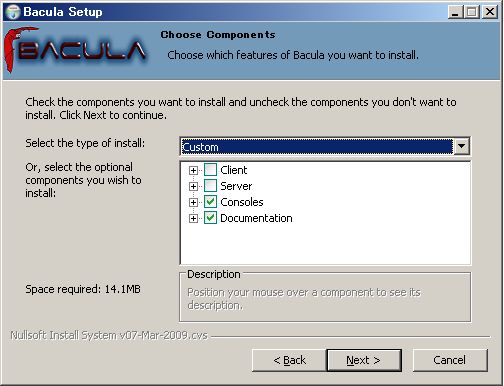
| [3] | When installing below, Choose 'Custom' and check only 'Consoles' and 'Documentation'. |
|
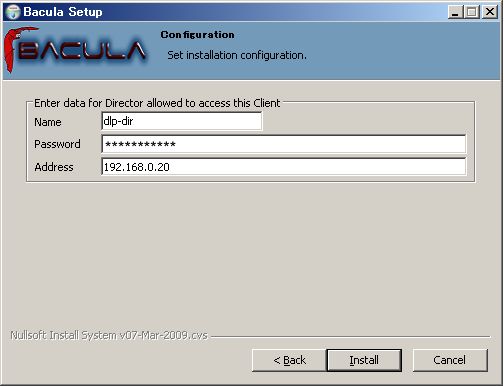
| [4] | When installing below, input Director daemon's name and password, Bacula Server's IP address. |
|
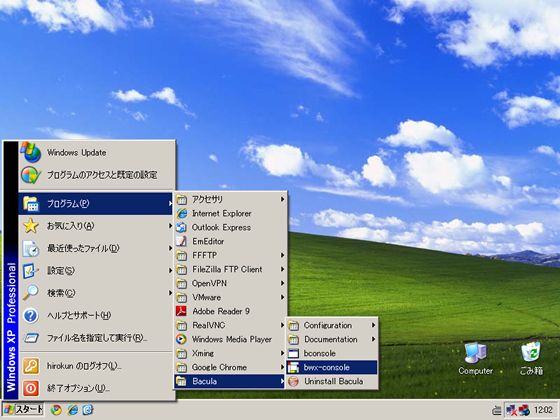
| [5] | After finishing installation, Open 'bwx-console' like below. |
|
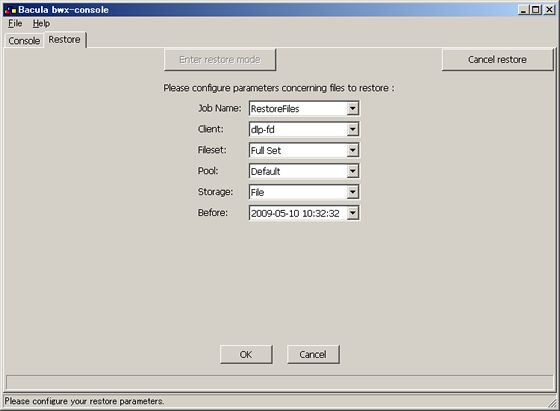
| [6] | Move to 'Restore' tab and click 'Enter restore mode' button, then click 'OK'. |
|
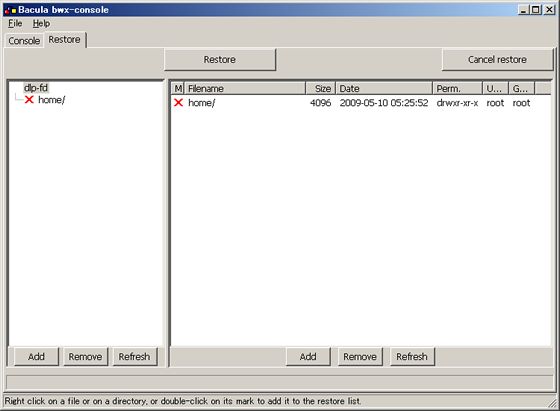
| [7] | Mark files you'd like to restore on here. |
|
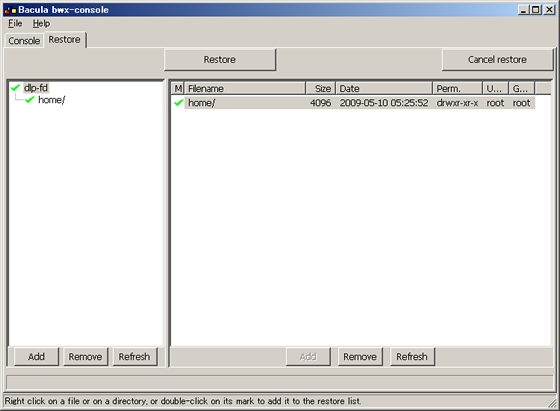
| [8] | Click a file you'd like to restore and push 'Add' button, and next, click 'Restore' button. |
|
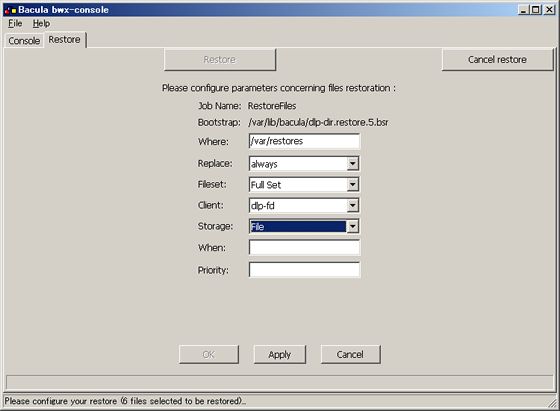
| [9] | Input some informations and click 'Apply' button, and next click 'OK' button. |
|
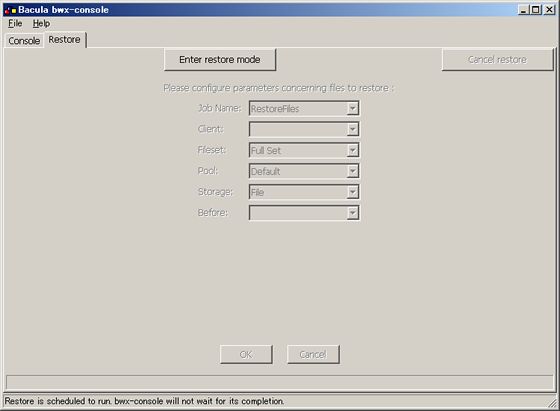
| [10] | Restore is completed. Make sure restore's directory. |
|